I decided I need to help myself build better habits, as intended from the start of this year. In the spirit of rapid prototype to usable project, I was naughty and first relied on code LLMs I have access to. Almost excellent prototype app, near usable, proving the idea would work. It did spark my need for moving to local only models for some projects, though, as when an online model is updated there isn’t a guarantee it still has the training it needed for my project scopes. I started as a small convenience but became more regular to end the year off. I’ll eventually share the outcome with the many models I felt like trying out to find the one that fits my primary code bases the best.
Note that I’m not convinced with the name yet, so it might change in the near future. Similarly, I’m using it for alpha testing already, as it’s already way more helpful than The 2-Hour Rule. I’m growing closer to enjoying the purple colour chosen, for unrelated reasons. Only the starting structure was rapid prototyped using AI, I’ve been manually revamping and upgrading it as a whole myself. Think along the lines of 30 minutes AI to see if I have a nice idea, then several hours spent programming it myself.
The legal declaration will be a user is in control of all content in the app, and the creator and app itself, can never be held liable for what they choose to put into it. When moving it to release I will organise it properly, legally.
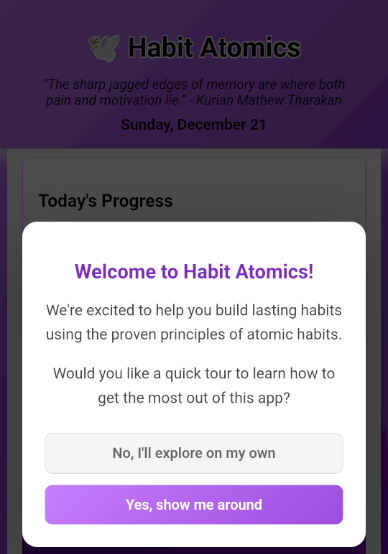
When starting out, a user will see the above introduction. A guide to use of the app, and optional sample data to help them understand the app a little more. The goal is to make it as user friendly as possible.
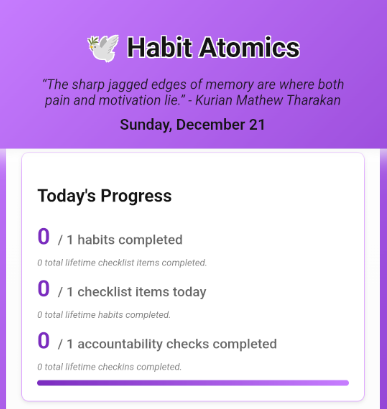
At the top of the main view, you’ll see today’s progress in an instant, it will help you remember where to focus your time.
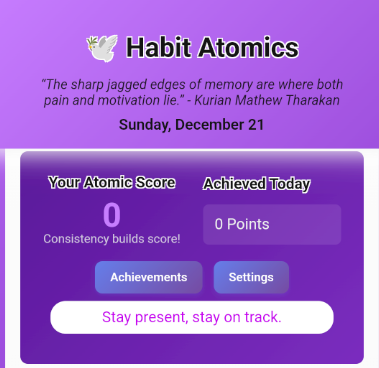
Followed by your Atomic Score, then what you’ve Achieved today to add to the score. The achievements view I’m still reworking as I think of ideas for simplifying it, you can see it towards the end. Total score is at present your lifetime score in the app, though I’m debating making it over the last 30 days, so it can help aim to keep the score high with consistency. Giving it time to see how I feel, it might be cool to show the length of time.
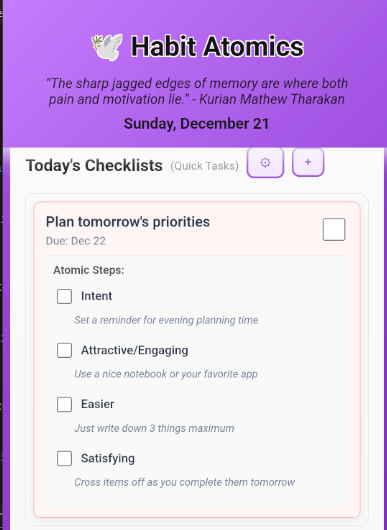
You’ll then have your Checklist items listed for you, these are tasks which can be linked to habits, which you feel you need to complete. Consider a hypothetical habit you create for yourself, e.g. Programming Every Day, you can create a Checklist item lined to this habit you need to finish by the end of the week, and add details for how you’d be satisfied, e.g. Get Habit Atomics alpha ready by Monday. All Atomic Steps under Checklist items, and Habits, are optional when you create new records for what you’d like to work on.
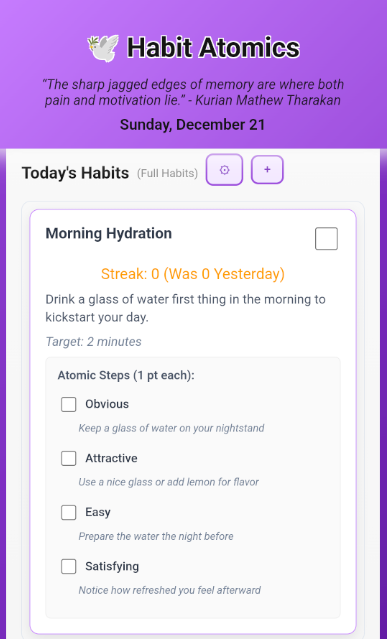
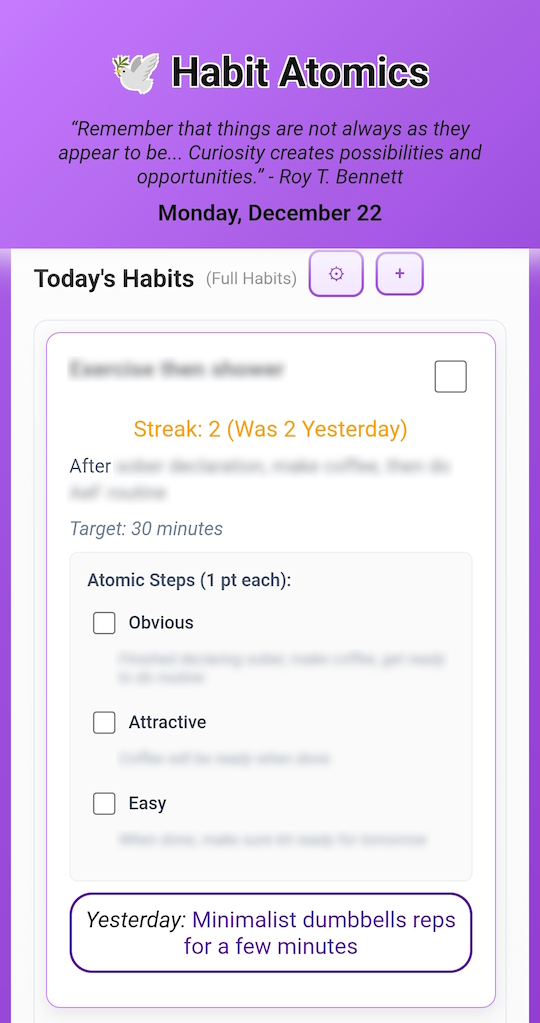
Which can help to understand with the Habits themselves, you can see your streak, so far, today’s score and what you ended yesterday with. You can mark down your target time, so you can start out small, and grow the amount of time you spend in the habits. It’s not a timed amount, rather a helpful suggestion. As a note, you can see the sample Habit was just a fast idea to help a user see what’s possible.
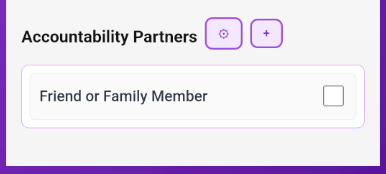
Finally, it helps to have an Accountability Partner in your journey. You can link it to specific Habits, for yourself, but it has been kept broad enough it can even just be your somebody special who’s cheering you on. Accountability can be whomever you feel like, even your pet hamster who you can take the time to share you completed it all with at the end of your day.
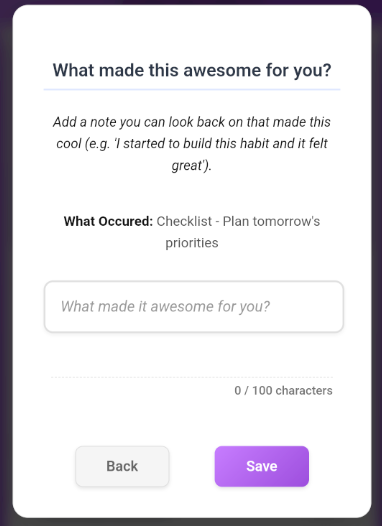
When you complete a Checklist item, Habit, or Check-in, you can optionally add a note. Notes do not give a score, but you could for instance copy what you Accountability Partner gave you for motivation for tomorrow.
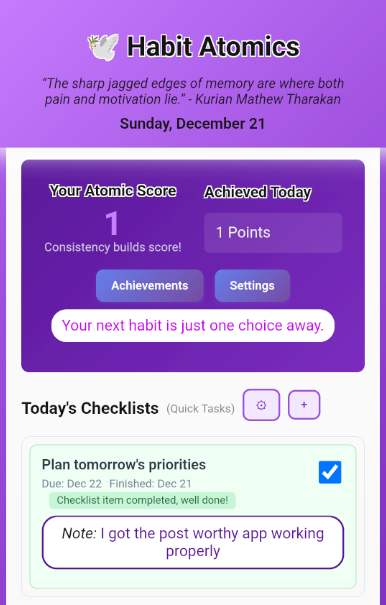
I’ve then made it super simple for a user to understand when they complete Checklists; only the checklist item itself is worth 1 point, not the helpers for you to finish it. You get 1 point for each Checklist item you complete on a day.
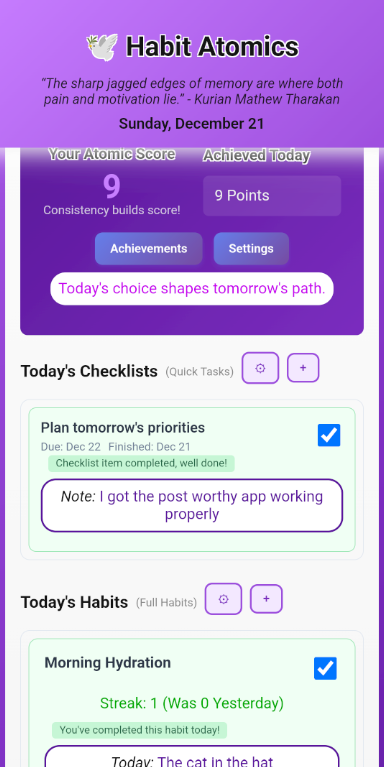
Then when completing a Habit Occurrence, you get 1 point extra for each of the Atomic Steps within it you complete, then 5 points for the Habit itself. Finally, for the Accountability check-in you get 2 points. The score system is for you to enjoy it more to complete things; I’m trying to decide on further streak achievements to add in.
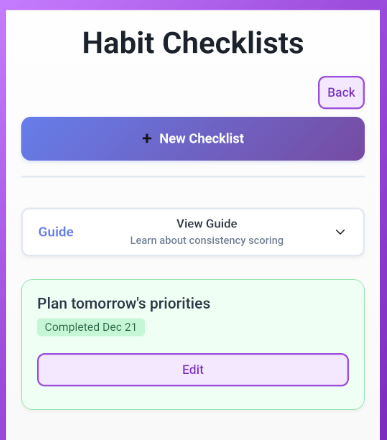
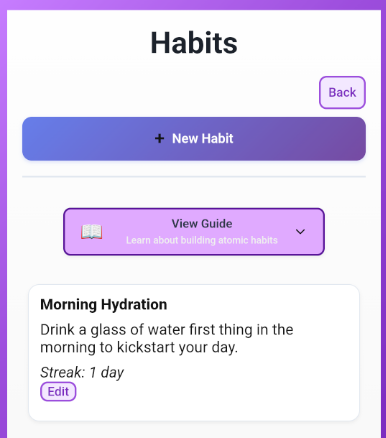
Each of the 3 sections has a listing view, where you can add, edit, or remove, whatever you need. The guide is still undergoing tons of rewording for better understanding.
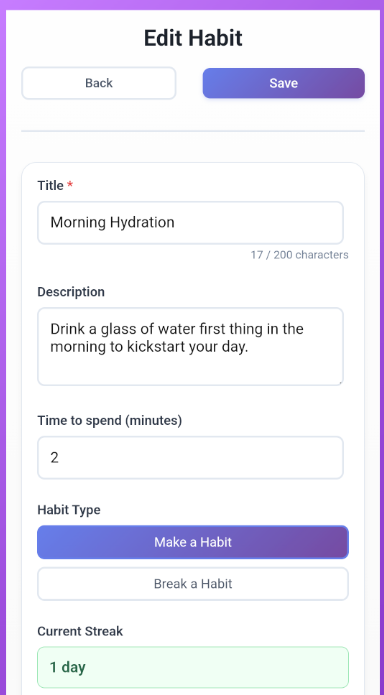
Then when you edit an item saved, seen below, you can change anything you want. This is intended so you can update and upgrade anything over time, as you need.
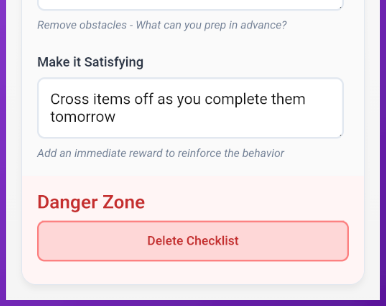
Finally, the obvious Danger Zone, you can Delete items, if you ever need to. The history of Occurrences will still count to your score, and it will show in the historic Achievements, but I know habits can change a ton over time.
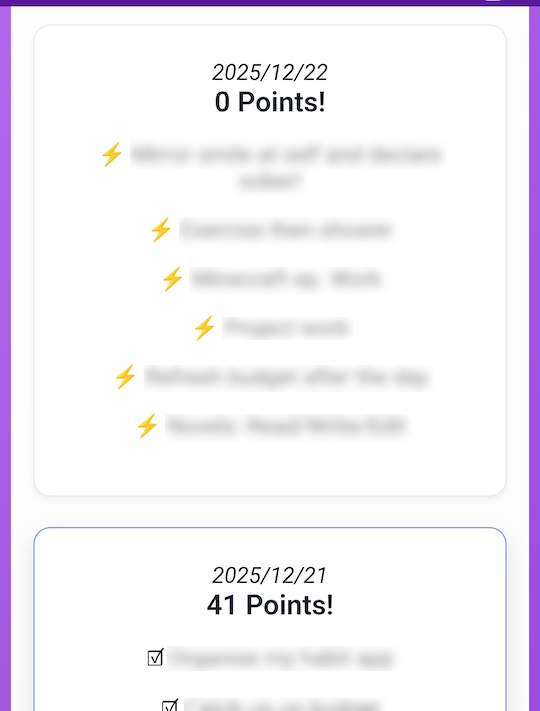
As mentioned before, the Achievements view is grouped monthly so you can compare how you’ve been doing.
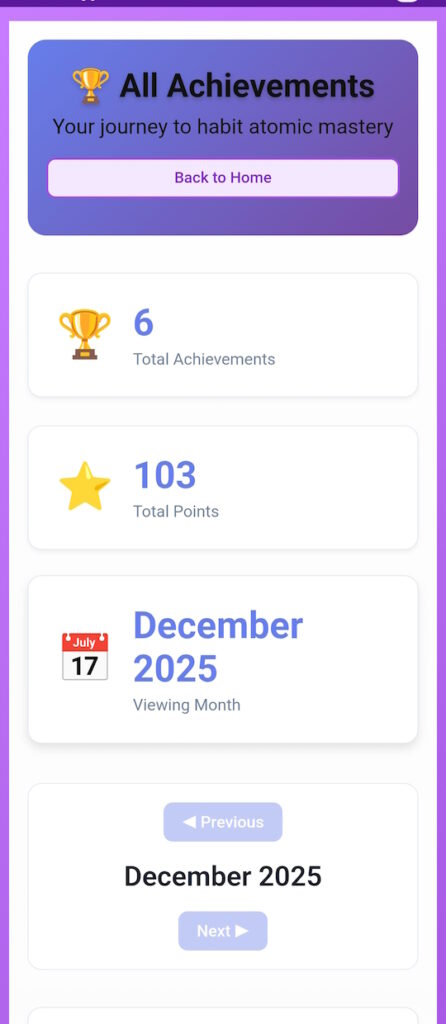
You can also see a list of what you did in a month, there, in partial detail.
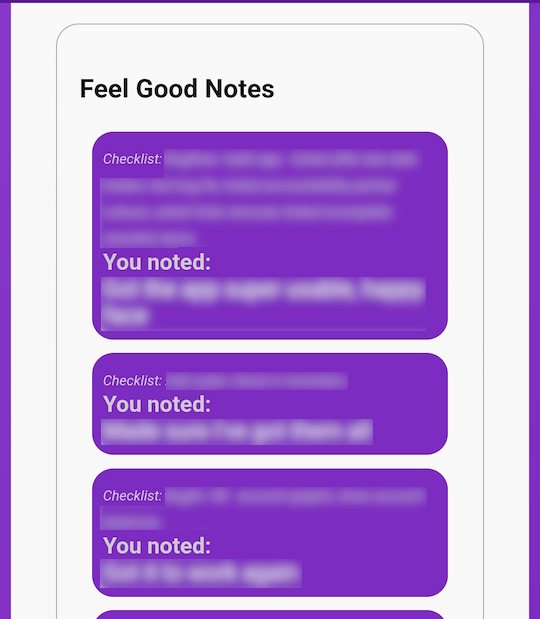
Then also your historic Notes, to remind you why you went through what occured.
Lastly, you will see Yesterdays Note to motivate you today. It can even be a simple Tomorrow I need to post it all, an easy way to track when more specific things need to be done, or Person1: Well done!
You’d then remember the cool things people shared, or happened, from what the item has led you to.
With that shared, I’ll soon find a few testers. I’m careful when testing, always press the wrong buttons as if I’ve got no idea what I’m doing, yet I still miss things once in a while.
Tech Stack
So, sticking to my past habits is a bit troublesome. I’m undecided if I’ll get a new SSD and dual boot a Linux distro soon. Lots of my paid for software, which helps me in many ways, I can only use on Windows, hence the dual boot. I’ve just been starting to enjoy VSCode way more, using the Continue extension connected only to my local LM Studio API.
I’ll soon share the local smaller LLMs I use for my coding. I’m doing an extensive test on a bunch of models in my hardware capable range, I usually side to Qwen3 8B, but have started to notice certain LLMs have better training in certain areas of coding.
It starts with a baseline of simple fairly well-known algorithms questions, and I’m unsure what I’ll focus on, but I’m tired of having to spend hours reworking an AI supposed “quick fix” by running it many times with prompt adjustments on paid models. I’m hoping to find the right models for each area of expertise I swap between which minimises my forgetfulness. The paid models seem to keep context from all old conversations (no matter which project it is), and having a different language code put into the project where I want it to quickly fix something for me is not worth it, anymore.
It took around 6 hours reworking prompts to get the initial idea usable through Claude Sonnet 4.5, unfortunately Claude Opus and GPT5.X (even Codex) were mostly misses when I tried to do simple things with prompts. Results were alright, just way too much was missing, no matter what was asked. Even going as far as saying in file X change function Y’s mathematical calculations to return Z, and it would keep putting in broken code for a few iterations, remove the class file, then remove all references to its functions in other files to successfully compile. It would answer along the lines of “here, I’ve sorted your task out.” Yes, with tons of the project removed, functionality broken completely, and nothing to do with what was asked.
Hence, from the dirty code made in around 6 hours, I’ve spent way more than 24 hours total extra rewriting all sections of the code base for the project. I’m almost happy with the manual code structures it has moved towards. At least it looks fairly decent, with my personally chosen purples and lighter greens. The extra time started as 30 minutes windows a day using the pre-alpha of this Habit Atomics app, I’m feeling way more focused on all my projects again. The sober road has been bumpy, but I’ve finally ticked all the boxes and I’m happily there.
I’m now moving to local models as my point of reference whenever my memory has troubles and needs a sort-of wiki. I’d just like to know why my GPU isn’t even considered when certain apps have some local model context.